100% offline  ·  LAN-only  ·  no cloud

Messaging that never
leaves your building.

NodeChat is the desktop messenger built for teams who need true privacy. Runs entirely on your LAN — no servers, no subscriptions, no external connections.

Air-gapped security
Windows · macOS · Linux
Full source code
nodechat — lan secured
Rooms
GC
General
Build pushed to QA ✓
2
ENG
Engineering
PR reviewed and merged
DS
Design
New mockups uploaded
HR
HR & Admin
Meeting at 3 PM today
JD
Jane Doe
GC
General
5 members · all online
AL
Is NodeChat fully offline yet? 👀
Yes — zero internet. All P2P over LAN. 🔒 ✓✓ delivered
RK
Transferring the design files now…
Message General…
Built with
Electron.js React 18 TypeScript Socket.IO TailwindCSS v3 Node.js
100%
Offline, no cloud
3
Platforms — Win, Mac, Linux
0kb
Data leaving your LAN
File transfer size limit
Core capabilities

Everything your team needs.
Nothing it doesn't.

Engineered for developer and IT teams who won't compromise on privacy or performance.

01
🔒

Air-gapped & Offline

Pure peer-to-peer over WebSockets. Not one byte of data routes through an external server — ever.

02
📂

Unlimited File Transfer

Drag and drop files of any size. At full gigabit LAN speed, not throttled by a cloud middle-man.

03
🖥️

True Cross-Platform

One Electron codebase. Native feel on Windows, macOS, and Linux — no compromises on any OS.

04

Zero Configuration

No database, no environment setup, no DevOps. npm installnpm run build → done.

05
🎨

Dark Mode + Themes

A polished dual-mode UI with accent color customization, built with TailwindCSS for every preference.

06
🔔

Real-time Signals

Typing indicators, delivery receipts, read confirmations, and native desktop push notifications.

Feature walkthrough

Every screen, shown.

13 feature screenshots — exactly what buyers receive.
Offline P2P
01 / 13

Offline P2P Chat

Full LAN messaging with zero internet dependency.

Cross-platform
02 / 13

Cross-Platform

Windows, macOS, and Linux — one codebase.

Profiles
03 / 13

Profiles & Avatars

Custom display names and avatars for every user.

Dark mode
04 / 13

Dark Mode

Sleek dark interface — easy on the eyes, day or night.

File sharing
05 / 13

File Sharing

Drag-and-drop any file at full LAN throughput.

Receipts
06 / 13

Read Receipts

Delivered, read, and typing — live in real time.

Notifications
07 / 13

Notifications

Native desktop alerts with per-room sound settings.

Local storage
08 / 13

Local Storage

All history lives on-device. Nothing in the cloud.

Presence
09 / 13

User Presence

Online, offline, and idle — tracked in real time.

Setup
10 / 13

Easy Setup

npm run build and you're live.
Status
11 / 13

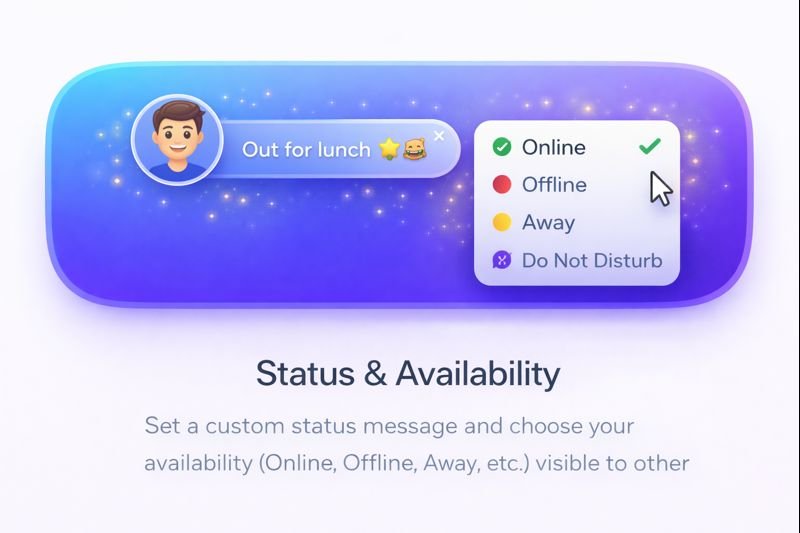
Status Messages

"In a meeting", "Out to lunch" — custom availability.

Themes
12 / 13

Appearance

Accent colors and layout preferences — fully yours.

Emojis
13 / 13

Emoji Library

Full built-in emoji picker for expressive messaging.

Quick start

Running in four steps.

No servers, no accounts, no waiting. Clone and go.

01

Purchase & Download

Buy the source code licence on CodeCanyon. Download the full project ZIP — documented and structured.

02

Install Dependencies

Run npm install in the project root. All packages resolve in under a minute.

03

Build & Launch

Run npm run build to compile React + TypeScript into a native Electron app ready to ship.

04

Open on Your LAN

Launch on any machine on the same network. Users auto-discover each other — no IP config needed.